

Top IPTV Smarters Firestick – Quick 2026 Setup Guide (Fast & Easy)
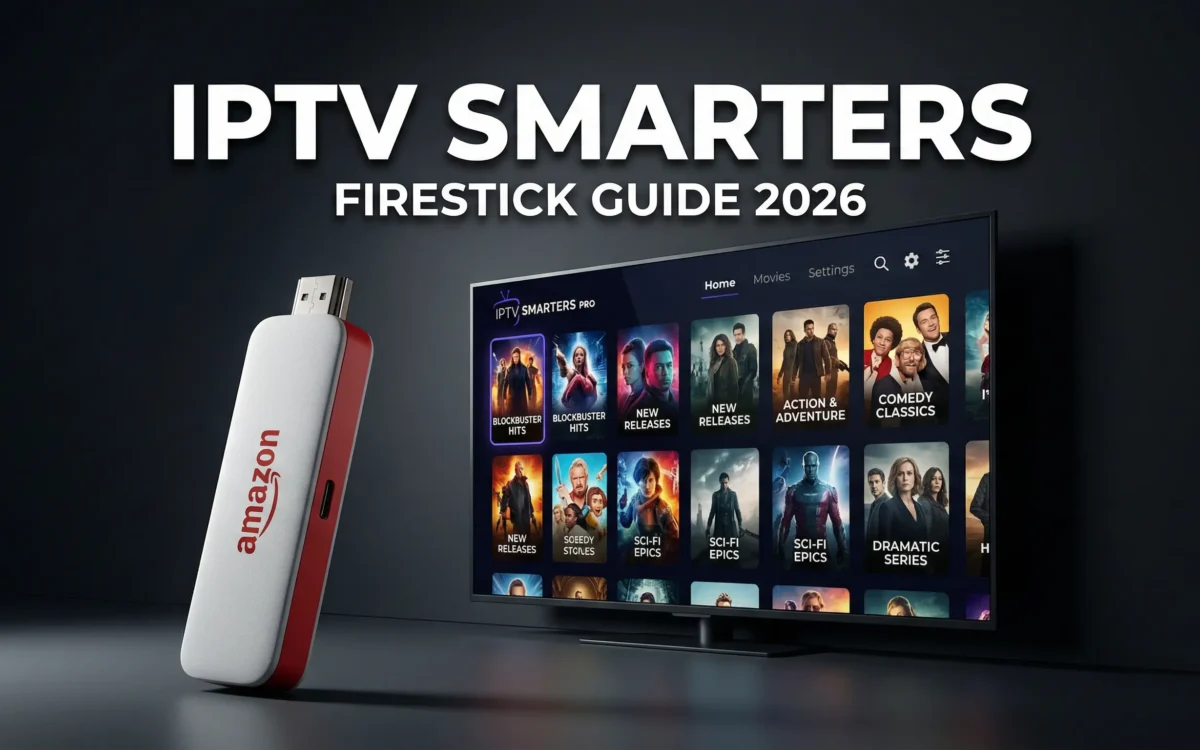
Table of Contents
If you’re looking for the fastest, most reliable way to install IPTV Smarters Firestick in 2026, you’re in the right place. IPTV Smarters is one of the most popular IPTV and streaming media player apps because it’s lightweight, easy to use, and compatible with most IPTV services. Whether you’re new to Fire TV Stick setup or you’ve installed apps before, this beginner-friendly guide will walk you through everything step by step — including the new 7-click update required on newer Firestick models.
By the end of this guide, you’ll have IPTV Smarters Pro running smoothly on your Amazon Firestick.
Why IPTV Smarters Firestick Is So Popular in 2026
IPTV Smarters has become a go-to streaming media player for millions of users worldwide. Here’s why it continues to dominate in 2026:
- Clean and modern interface
- Supports Live TV, Movies, and Series
- Works with most IPTV providers
- Supports multiple playlists and user profiles
- Optimized for Fire TV Stick remote control
Because IPTV Smarters is not available directly on the Amazon Appstore, you’ll need to use sideloading apps like the Downloader app. Don’t worry — it’s safe and takes just a few minutes.
Prerequisites (Important 2026 Update)
Before installing IPTV Smarters Firestick, you must prepare your device. Amazon has made changes in 2026, so follow this carefully.
🔓 The New “7-Click” Trick (2026 Models)
On newer Firestick models, Developer Options are hidden by default. Here’s how to unlock them:
- From the Firestick Home Screen, go to Settings
- Click My Fire TV
- Select About
- Highlight your Device Name (e.g., Fire TV Stick 4K, Fire TV Stick Lite, etc.)
- Click the Select button on your remote 7 times
- You’ll see a message: “You are now a developer”
- Go back — you will now see Developer Options
This step is critical for 2026 Fire TV Stick setup. Many old guides don’t include this, which is why users get stuck.
Enable Apps from Unknown Sources
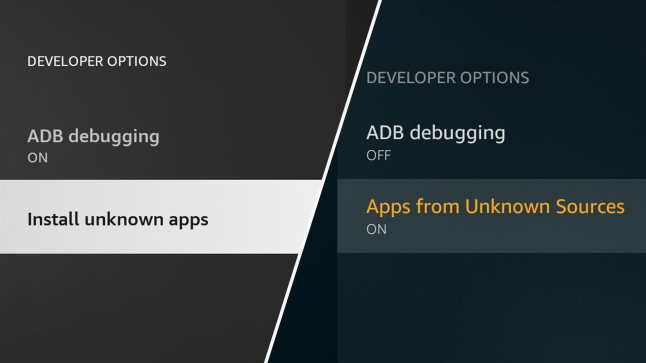
Now that Developer Options are unlocked, allow sideloading apps:
- Go to Settings
- Select My Fire TV
- Click Developer Options
- Select Install Unknown Apps
- Turn ON for Downloader
This allows the Downloader app to install IPTV Smarters Pro.
Install the Downloader App
The Downloader app is the easiest way to sideload apps on Firestick.
Step-by-Step:
- From Firestick Home, click Find
- Select Search
- Type Downloader
- Select the orange Downloader app
- Click Download or Get
- Open the app after installation
- Allow all permissions when prompted
Downloader is now ready.
Download & Install IPTV Smarters Firestick
Now let’s install IPTV Smarters Firestick using Downloader.
Step-by-Step:
- Open the Downloader app
- Click on the URL input box
- Enter one of the official download URLs (example):
https://www.iptvsmarters.com/smarters.apk
Or enter the official downloader code: 78522 - Click Go
- Wait for the APK file to download
- When prompted, click Install
- After installation, click Done
- Choose Delete to remove the APK file (saves storage)
- Click Delete again to confirm
✅ IPTV Smarters Pro is now installed on your Fire TV Stick.
Launch IPTV Smarters Pro
To open the app:
- Go to Your Apps & Channels
- Scroll down to IPTV Smarters Pro
- Press the Menu button on your remote
- Select Move to Front (optional, for quick access)
- Open the app
On first launch, you’ll be asked to accept the Terms of Use.
Login to IPTV Smarters
Most IPTV providers give you one of the following:
- Xtream Codes API (Username, Password, Server URL)
- M3U Playlist URL
- Local playlist file
Recommended (Xtream Codes API):
- Choose Login with Xtream Codes API
- Enter:
- Any name (for playlist)
- Username
- Password
- Server URL
- Click Add User
- Wait for content to load
Your Live TV, Movies, and Series will now appear.
🔥 Get a Free IPTV Firestick Trial
Get a Free IPTV Trial
If you want a Firestick Smarters IPTV free trial, text me on my WhatsApp number and I will sort it for you: +44 7428 919526.
This is a great way to test IPTV Smarters Firestick before committing to a full subscription.
Why You Should Use a IPTV VPN in 2026
In 2026, privacy and ISP monitoring are bigger concerns than ever. Using a VPN with IPTV Smarters is strongly recommended.
Benefits of a VPN:
- Protects your online privacy
- Prevents ISP throttling
- Hides your IP address
- Adds extra security on public Wi-Fi
- Helps avoid geo-restrictions
A VPN encrypts your internet traffic, making your streaming more private and secure. This is especially important when using sideloading apps and third-party streaming media players.
Common Problems & Fixes
App Not Installing?
- Re-check Install Unknown Apps is ON for Downloader
- Restart Firestick and try again
App Not Opening?
- Clear app cache:
Settings > Applications > Manage Installed Applications > IPTV Smarters Pro > Clear Cache
No Channels Showing?
- Double-check IPTV login details
- Contact your IPTV provider
Frequently Asked Questions (FAQ)
1. Is IPTV Smarters Firestick legal?
IPTV Smarters itself is just a media player app and is legal to install. However, the legality depends on the IPTV service you connect to. Always make sure your content provider has the rights to distribute the channels.
2. Why can’t I find Developer Options?
On 2026 Firestick models, Developer Options are hidden. You must go to Settings > My Fire TV > About and click the Device Name 7 times to unlock it.
You can get that Firestick device it works perfectly
3. Why is IPTV Smarters buffering?
Buffering is usually caused by slow internet, overloaded IPTV servers, or ISP throttling. Using a VPN and a wired or strong Wi-Fi connection can significantly reduce buffering.
🔥 IPTV Smarters Firestick Subscriptions – Premium Quality from £49
Looking for a reliable, high-quality Firestick IPTV service that works perfectly with IPTV Smarters Firestick? We offer premium IPTV subscriptions with smooth streaming, massive content, and full support — plus free trials available so you can test before you commit.
💎 Special Offer – Limited Time
Premium IPTV for Firestick – Only £49 / 12 Months
(Regular price: £55 – Save £6 today!)
What You Get with Our Premium IPTV:
✅ 8K / 4K / FHD / HD Quality
🎬 300,000+ Movies & Series (Daily Updates)
⚽ All Sports in 8K & 4K + Live Events
📺 Catch-Up TV & Full EPG (TV Guide)
🔐 Free VPN Gift Included 🎁
🗓️ Daily Sports Listings
💬 WhatsApp & Telegram Support – 7 Days a Week
Our service is fully optimized for IPTV Smarters Pro on Firestick, ensuring fast loading, minimal buffering, and a premium viewing experience.
🎁 Free Trial Available
Not sure yet? No problem. We offer free IPTV trials so you can test the quality, channels, and performance on your Fire TV Stick before purchasing.
To get your free trial or subscribe today, contact us on WhatsApp and we’ll get you set up quickly.
Whatsapp live Support chat: +447428919526

Final Thoughts
Installing IPTV Smarters Firestick in 2026 is still quick and easy — as long as you follow the updated Fire TV Stick setup steps. The new 7-click Developer Options trick is essential and will help you avoid the most common setup issues users face this year.
With IPTV Smarters Pro, the Downloader app, and proper sideloading permissions, you’ll be streaming in minutes.